
 Global
 Before you buy
Check the region and redemption instructions before completing your purchase.
PUBG PC G-Coin Gift Card (Global)
Your choice. Ready when you are.
Description
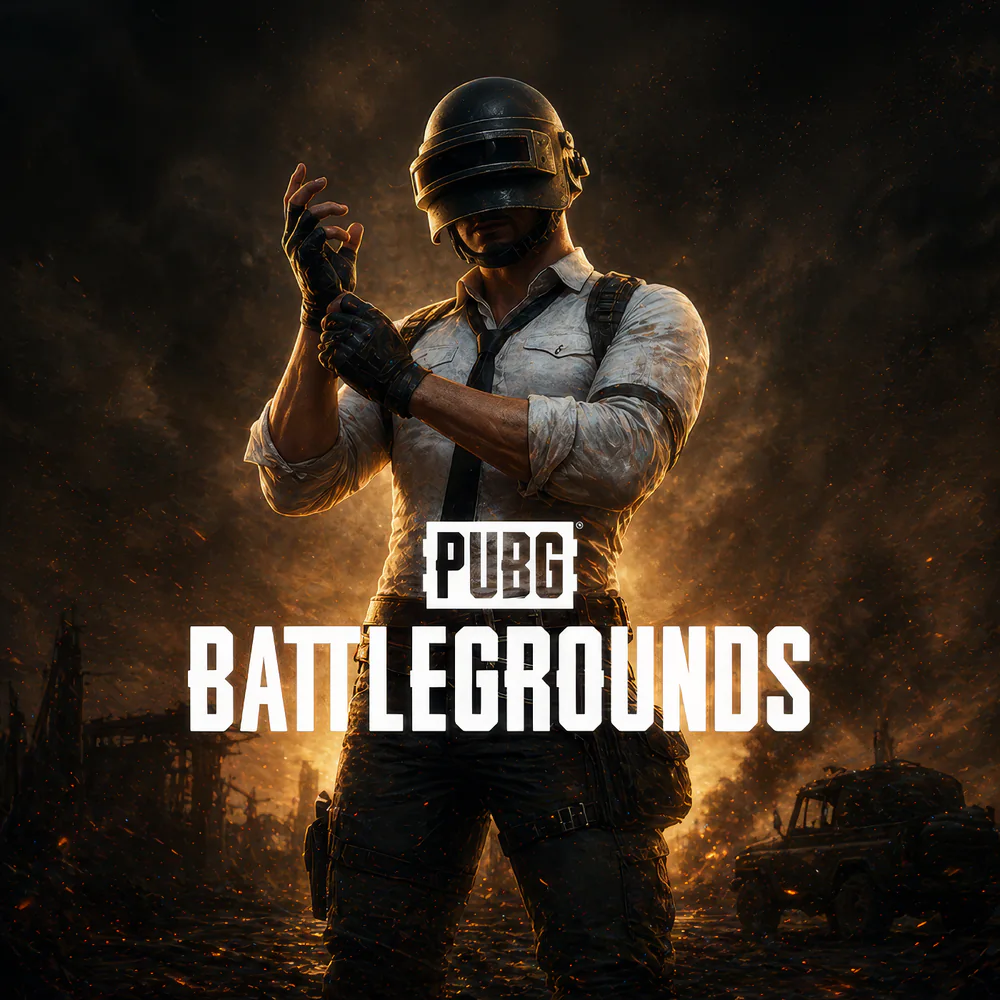
PUBG PC G-Coin Gift Card (Global) is the prepaid digital redeem code that loads G-Coins — the premium real-money currency in PUBG: BATTLEGROUNDS on PC — directly to your KRAFTON ID-linked account. PUBG: BATTLEGROUNDS is the original genre-defining 100-player battle royale shooter, developed and published by KRAFTON (Korean publisher founded 2007, headquartered in Seongnam, South Korea, listed on Korea Exchange KS:259960 since August 2021). PUBG launched in Early Access March 2017, full release December 2017, and went free-to-play on January 12, 2022 (previously $30 purchase). The game has sold 75M+ copies on PC/Console alone (separate from PUBG Mobile). Use G-Coins for the seasonal Battle Pass, exclusive weapon skins (Glacier, Galaxy, Frozen Throne, Crystal Ice variants), character outfits, themed crates, parachute skins, dance emotes, melee skins, and Steam-version exclusive items. The Gift Card is GLOBAL — works across 13 supported languages (English, Turkish, Russian, Spanish, Portuguese, German, French, Arabic, Hindi, Indonesian, Thai, Simplified Chinese, Traditional Chinese). MRCODA delivers the digital code by email within 1–5 minutes of payment confirmation.
Important — Critical distinctions: (1) PC ONLY — this gift card works only on PUBG: BATTLEGROUNDS PC (Steam + Epic Games Store). It does NOT work on PUBG Mobile (separate game by Tencent/Level Infinite, uses UC currency — see our separate PUBG Mobile UC Top Up product). (2) Console NOT supported — PUBG PlayStation / Xbox use platform store credit (not G-Coin codes). (3) Requires KRAFTON ID — NOT your Steam password, NOT Epic Games account. KRAFTON ID is Krafton’s unified account at pubg.com (free registration). (4) Korean Kakao Games version — must link KRAFTON ID from within the game first before redemption works. (5) Single-use bearer instrument — first KRAFTON ID to redeem keeps the G-Coins. Codes are case-sensitive; copy-paste is safest.
What PUBG PC G-Coin Gift Card (Global) unlocks in-game
G-Coins are the PC-version premium currency in PUBG: BATTLEGROUNDS. Unlike BP (free Battle Points earned through gameplay), G-Coins cannot be earned in-game — they’re available only via purchase or redeem codes like this gift card. G-Coins unlock:
- Battle Pass (seasonal) — PUBG’s seasonal progression system. Each Battle Pass season runs ~2-3 months with exclusive weapon skins, character outfits, weapon charms, parachute designs, dance emotes, and themed cosmetic rewards. Premium Pass returns substantial G-Coin value for active completers
- Weapon skins (flagship cosmetic tier) — themed weapon skins including Glacier, Galaxy, Frozen Throne, Crystal Ice variants, Year-themed AKM and M16 skins, gun chip skins, attachment skins. Limited-edition collaboration weapons (anime tie-ins like Solo Leveling, K-pop music collabs like BLACKPINK) drive elevated whale-tier spending during drop windows
- Character outfits & skins — themed character outfits, swimsuits, military uniforms, formal attire, holiday-themed costumes, hairstyles, operator-style cosmetic sets
- Parachute skins — themed parachute designs from minimal silhouettes to fully animated visual effects. Signature visual flourish for high-end PUBG players
- Themed crates — PUBG’s signature loot crate system with tiered rarity (Common, Rare, Epic, Legendary, Mythic). Crate keys also available via G-Coin for premium-tier crates
- Dance emotes & melee skins — animated dance emotes during matches, plus melee weapon skins for pan, machete, crowbar, and close-combat weapons
- Steam-version exclusive items — some PUBG cosmetic catalog items are exclusive to Steam version of PUBG PC (not available on console or mobile)
- Customization items — spray patterns, nameplates, weapon charms, gear charms, account-level cosmetic customization
- PUBG esports content — PGC (PUBG Global Championship), PCS (PUBG Continental Series), regional tournament cosmetics, team-themed skins
The PUBG currency system explained
- G-Coin (PC, this gift card loads G-Coin) — PC-version premium currency. Cannot be earned through gameplay; available only via purchase or redeem codes. Used for Battle Pass, weapon skins, character outfits, themed crates, parachute skins, dance emotes, melee skins, Steam-version exclusive items.
- UC (Unknown Cash, MOBILE ONLY) — mobile-version premium currency for PUBG Mobile, distributed globally by Tencent / Level Infinite. NOT the same as G-Coin. NOT loaded by this gift card. PUBG Mobile players need our separate PUBG Mobile UC Top Up product.
- BP (Battle Points, both PC and mobile) — free in-game currency earned through gameplay. Used for basic crates and lower-tier items. Cannot be purchased; this gift card does NOT load BP.
Available PUBG PC G-Coin Gift Card (Global) denominations on MRCODA
MRCODA stocks publisher-set G-Coin tiers:
- 600 G-Coins — entry tier, suitable for trying a small purchase or supplementing existing G-Coin balance
- 1,500 G-Coins — mid-tier, suitable for a single weapon skin or themed cosmetic
- 3,000 G-Coins — covers the Battle Pass Premium track
- 6,000 G-Coins — active player monthly funding tier
- 12,000 G-Coins — full skin collections or multiple Battle Passes
- 24,000 G-Coins — top-tier whale denomination, full cosmetic collection acquisition
How to redeem PUBG PC G-Coin Gift Card (Global)
PUBG PC supports two redemption methods — choose whichever is more convenient.
Method A: Redeem at the official PUBG website (recommended desktop)
- Receive your redeem code by email from MRCODA within 1–5 minutes of payment.
- Open browser and visit pubg.com/en/events/redeem (language code in URL is changeable — pubg.com/tr/events/redeem for Turkish, pubg.com/ru/events/redeem for Russian, etc.).
- Click Login (top-right corner) and sign in with your KRAFTON ID. If you don’t have a KRAFTON ID yet, click Sign Up and register (free, requires only email).
- Enter the redeem code from the MRCODA email into the Enter Redemption Code field. Code is case-sensitive — copy-paste is safest.
- Click Redeem. G-Coins credit to your KRAFTON ID-linked PUBG PC account immediately.
- Launch PUBG: BATTLEGROUNDS on PC and check G-Coin balance in the in-game Store.
Method B: Redeem in-game (recommended in-game method)
- Launch PUBG: BATTLEGROUNDS on PC (Steam or Epic Games Store).
- From main menu, click Store (top navigation bar).
- Two common UI patterns: (a) navigate to Store Items Redeem Code, OR (b) click Add Bonus / Gift Code button at bottom-left of in-game Store.
- Enter the redeem code from MRCODA email. Case-sensitive — copy-paste from email.
- Click Confirm. G-Coins credit immediately and appear at the top of the Store screen.
Why buy PUBG PC G-Coin Gift Card (Global) at MRCODA
- Gift-friendly format — redeem code easy to forward to friend by message; they redeem on their own KRAFTON ID at their own pace. Excellent for PUBG PC player gifts, esports team supporter gifts, content creator gifts.
- No account information required at MRCODA checkout — you authenticate with KRAFTON ID at pubg.com or in-game. We never see or store your KRAFTON ID, Steam credentials, or any account information.
- Buy now, redeem later — hold the code in your inbox and redeem when a promotional event (Battle Pass season starts, anniversary events, elevated cosmetic drops) makes the spend optimal.
- Multi-platform launcher flexibility — your PUBG PC account works across Steam and Epic Games Store as long as anchored to your KRAFTON ID. Redemption identical regardless of launcher.
- Two redemption methods — official PUBG website OR in-game Store. Both deliver identical G-Coins.
- Global gift card — works across 13 supported languages with uniform value globally. No regional pricing markup.
- Direct gift card delivery by email — code arrives within 1–5 minutes of payment confirmation.
- All major payment methods — Credit/Debit card, PayPal, Apple Pay, Google Pay, USDT crypto, MRCODA Wallet balance.
- Tax-inclusive pricing — MRCODA’s listed price already includes any applicable VAT or sales tax on your digital code. Payment processor fees (if any) are shown transparently before you confirm the order.
- PC-specific pipeline confirmed — authorized partner pipeline delivers specifically PC G-Coin gift cards (NOT PUBG Mobile UC, NOT console store credit). No accidental version mismatches.
- PCI-compliant checkout — full card numbers are never stored.
- Registered company — MRCODA GLOBAL LLC (10191690), Delaware, USA.
- Wholesale pricing for PUBG resellers, PC content creators, esports community organizers via Business Inquiries.
Common redemption errors and fixes
- “Invalid code” error — codes are case-sensitive and contain no spaces. Common typo sources: 0 (zero) vs O, 1 (one) vs I or l, 5 (five) vs S. Copy-paste from email; manual typing is the most common failure source.
- “Region mismatch” error — although Gift Card is GLOBAL, some region-specific PUBG distributions (Kakao Games for Korea) have separate redemption systems. May require KRAFTON ID linking from within the game first.
- “KRAFTON ID required” error — you MUST use a KRAFTON ID, not just Steam account. Create free KRAFTON ID at pubg.com/en/account, then link it to your Steam-connected PUBG account. Retry redemption.
- “Already redeemed” error — code was already redeemed (by you previously or someone you forwarded it to). G-Coins should already be in the redeeming account. Contact MRCODA support if unauthorized redemption.
- Kakao Games (Korean) account issue — Korean PUBG players using Kakao Games version must link KRAFTON ID from WITHIN the game first. Open PUBG (Kakao Games version) account settings KRAFTON ID linking complete linking. Then retry gift card redemption.
Before you buy
- Confirm you play PUBG PC (Steam or Epic Games Store), NOT PUBG Mobile or PUBG Console.
- Confirm you have or can create a KRAFTON ID at pubg.com (free).
- This gift card does NOT work for PUBG Mobile (uses UC) or PUBG Console (uses platform store credit).
- Codes are case-sensitive — copy-paste is safest.
- Single-use bearer instruments — first KRAFTON ID to redeem keeps the G-Coins. Do not share publicly.
- Once successfully redeemed, code cannot be reversed; G-Coins are non-refundable per KRAFTON terms.
- Keep the MRCODA order email until successful redemption.
- Review the MRCODA Delivery Policy and Refund Policy.
Related PUBG and battle royale products
Browse PUBG Mobile UC Top Up (Global) (mobile version, separate game), PUBG Mobile UC Redeem Code (Global), Fortnite V-Bucks Card (USA), Free Fire Diamonds Top Up, In-Game Top Up category, and the MRCODA shop.
How to use
- Receive your PUBG PC G-Coin redeem code by email.
- Method A (online): Visit pubg.com/en/events/redeem login with KRAFTON ID enter code "Redeem".
- Method B (in-game): Launch PUBG (PC) Store Items "Redeem Code" OR "Add Bonus/Gift Code" (bottom-left) enter case-sensitive code.
- G-Coin loads to your KRAFTON account immediately.
FAQ
PUBG PC G-Coin Gift Card (Global) FAQ
What is PUBG: BATTLEGROUNDS?
PUBG: BATTLEGROUNDS is the original genre-defining 100-player battle royale shooter — the game that launched the modern battle royale era. Developed and published by KRAFTON (Korean publisher founded 2007, HQ Seongnam South Korea, listed on Korea Exchange KS:259960 since August 2021). Early Access launched March 2017, full release December 2017, went free-to-play January 12, 2022 (previously $30). 75M+ copies sold lifetime on PC/Console (separate from PUBG Mobile’s hundreds of millions of downloads).
Does this gift card work on PUBG Mobile?
No. PUBG Mobile uses UC (Unknown Cash) currency, not G-Coin, and is published by Tencent / Level Infinite globally — a separate game entirely. PUBG Mobile players need our separate PUBG Mobile UC Top Up or PUBG Mobile UC Redeem Code products. This G-Coin Gift Card is exclusively for PUBG: BATTLEGROUNDS PC.
Does this gift card work on PUBG PlayStation or Xbox?
No. PUBG Console versions (PlayStation, Xbox) use platform store credit (PSN cards / Xbox gift cards), not KRAFTON G-Coin codes. The PUBG PC G-Coin Gift Card is exclusively for PUBG: BATTLEGROUNDS PC (Steam + Epic Games Store).
What is KRAFTON ID and why do I need it?
KRAFTON ID is KRAFTON’s unified account system at pubg.com — used across PUBG and other KRAFTON titles (The Callisto Protocol, Cookie Run franchise via SocialPeta, etc.). KRAFTON ID is NOT the same as your Steam account or Epic Games account. Even if you launch PUBG through Steam or Epic Games Store, the G-Coin redemption requires KRAFTON ID. If you don’t have one, register free at pubg.com (requires only email). If you’ve only ever launched PUBG through Steam without KRAFTON ID, you may need to link KRAFTON ID to your Steam-connected PUBG account first.
How long until I receive the G-Coin code?
Most PUBG PC G-Coin Gift Card orders deliver in 1–5 minutes after payment confirmation. Contact MRCODA support within 48 hours if not received.
Where do I redeem the G-Coin code?
Two methods: (A) Web — go to pubg.com/en/events/redeem (URL language code changeable for 13 languages), log in with KRAFTON ID, enter code, click Redeem. (B) In-game — launch PUBG: BATTLEGROUNDS Store either “Items Redeem Code” OR “Add Bonus / Gift Code” button at bottom-left enter code Confirm. Both methods deliver identical G-Coins.
Is the code single-use?
Yes. Each PUBG PC G-Coin redeem code is single-use. Once successfully redeemed by any KRAFTON ID, the code cannot be used again. The redemption is anchored to whichever KRAFTON ID redeems first — codes are bearer instruments. Do not share your voucher code publicly.
What’s the difference between G-Coin and BP?
G-Coin (premium) is the paid currency loaded by this gift card — cannot be earned in-game, only purchased. Used for Battle Pass Premium, weapon skins, character outfits, themed crates, dance emotes, melee skins, Steam-exclusive items. BP (Battle Points) is the free in-game currency earned through gameplay — used for basic crates and lower-tier items. BP cannot be purchased; G-Coin and BP are completely separate.
Does the gift card expire?
The gift card does not expire on the buyer side under normal circumstances (KRAFTON’s specific policy may impose terms — check the order confirmation email). You can hold the code in your inbox and redeem when a publisher promotional event (Battle Pass season starts, anniversary events, elevated cosmetic crate drops) makes the spend optimal.
Does MRCODA need my KRAFTON ID password?
Never. You redeem the code yourself at pubg.com or in-game. MRCODA never requests your KRAFTON ID, Steam, Epic Games, or any account passwords. The redeem code is a bearer instrument — anyone with it can redeem. Do not share publicly.
Reviews
Customer reviews
Only logged in customers who have purchased this product may leave a review.



Reviews
There are no reviews yet.